



Copilot+ PCs for education.
Empower institutions with Microsoft Education solutions and TD SYNNEX expertise.
Education leaders are navigating a moment of rapid transformation: AI is reshaping how campuses operate, how faculty teach and how students learn. Copilot+ PCs can give schools the AI-powered performance, efficiency and security to help meet today’s demands and prepare for tomorrow’s breakthroughs.

A trusted foundation for AI-enabled
learning and innovation.
Copilot+ PCs are the fastest, most intelligent and most secure Windows PCs yet. Here’s how Windows 11 Pro unlocks efficiencies across institutions with smarter workflows, simpler management and easy adoption of the latest AI innovations:
Copilot+ PCs protect from chip-to-cloud with Microsoft Pluton1, Secured-core PCs, Microsoft Defender2 and Windows Autopatch3. On-device AI can help your institution keep data safe and secure.
Device, operating system, productivity features, identity, AI and cloud are all connected in one Microsoft ecosystem. With Microsoft Intune2, Microsoft Entra ID4 and Windows Autopatch3 built into the ecosystem, Copilot+ PCs make it easier to manage devices, updates and security from one place.
Universities can safeguard sensitive information with Microsoft Purview Data Loss Prevention (DLP) protection for Recall (in preview)5,6. Together, these capabilities can help secure student records and meet compliance standards, while giving IT leaders the confidence to innovate at scale.
Copilot+ PCs integrate with GitHub Copilot, LinkedIn Learning, and Microsoft 365 Copilot7 to give students future-ready skills and experiences they’ll use in the workplace.
Accessibility features like Immersive Reader, Live Captions8 and multi-language support are built into Windows 11 Pro and Microsoft 365 Copilot7. These features can help institutions scale equitable learning experiences and ensure every learner can participate fully.
Copilot+ PCs by the numbers.
Copilot+ PCs bring next generation AI performance to campus with capabilities that help institutions meet the moment:
61%
time saved finding and editing content with Recall, Click to Do and Windows search.9
65%
fewer security incidents compared to Windows 10 models.9
50%
faster workflows on average, helping researchers move from idea to impact faster.9
With smarter workflows, simpler management and seamless access to the latest AI innovations, institutions can focus on what matters most: creating the conditions for discovery, learning and long term innovation.
AI that moves
education forward.
Accelerate research, streamline administrative workflows and enhance teaching and learning with secure, institution ready AI. Windows devices, Microsoft 365 and Microsoft Copilot work together to reduce friction, strengthen resilience and unlock new possibilities across campus.
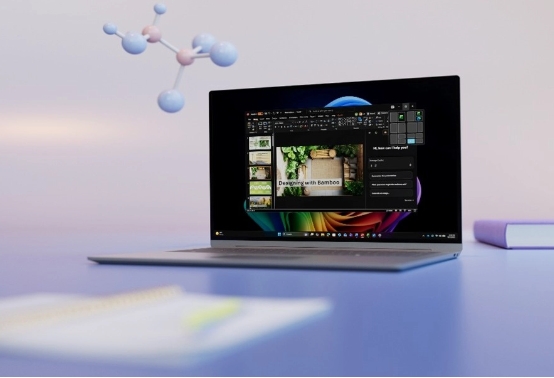
Ready to help innovation shape innovators?
Discover how Copilot+ PCs and TD SYNNEX give institutions a secure foundation to innovate across teaching, research and campus orientations. Prepare students for the AI era and empower your teams to focus on what matters most.
1Built in on all Copilot+ PCs and hardware dependent on other Windows 11 PCs.2Sold separately.
3Windows 11 Enterprise E3 or E5 required.
4Microsoft Entra ID is sold separately.
5Microsoft Purview DLP for Recall requires Microsoft 365 E5 and Intune.
6Recall (in preview) is coming soon through a post-launch Windows Update. Timing will vary by device and region. Optimized for select languages (English, Chinese (simplified), French, German, Japanese, and Spanish). Content-based and storage limitations apply.
7Per user license sold separately; also requires eligible Microsoft 365 plan.
8Live Captions translates video and audio subtitles into English from 40+ languages and from 25+ languages into Chinese (Simplified). See Copilot+ PC FAQs.
9Results in comparison to Windows 10 PCs. Improve your day-to-day experience with Windows 11 Pro laptops, Principled Technologies, April 2023. Report commissioned by Microsoft.
